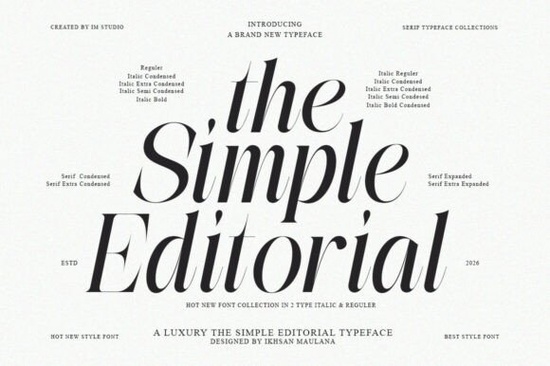
If you’ve been searching for a serif font that feels both nostalgic and fresh, The Simple Editorial Font might be exactly what your next project needs. It’s the kind of typeface that slips quietly into your toolkit until you realize you’re reaching for it again and again. Whether you’re laying out a boutique magazine, designing product packaging, or building a brand identity with warmth and character, this font holds its own without shouting.
What makes it stand out isn’t just its vintage-inspired curves or bold weights though those are lovely but how naturally it adapts. You can pair it with something clean like Montega for contrast, or let it shine solo in editorial spreads where every letter needs to feel intentional. The 15 styles (9 weights plus matching italics) mean you’re never stuck choosing between subtlety and impact.
Who is this font actually good for?
If you’re running a small business and need branding materials that feel polished but not corporate, this font gives you that editorial edge think boutique coffee shops, handmade skincare lines, or heritage-style apparel. Print-on-demand sellers will appreciate how well it scales: thin weights look elegant on greeting cards, while the heavier cuts pop on tote bags or posters.
Crafters who design their own templates whether for Canva, Etsy printables, or client work will find the ligatures especially useful. They add just enough personality to headlines without making things feel cluttered. And if you’ve ever struggled to find a serif that doesn’t feel stiff or outdated, try pairing The Simple Editorial with something modern like Sweetberry Serif for a balanced, contemporary look.
How does it compare to other retro serifs?
It’s easy to get lost in Creative Fabrica’s collection of serif fonts and there are some real gems. For example, Monarch Heritage leans more ornate and decorative, perfect for luxury invitations or book covers. Sharp History has sharper edges and a more structured rhythm, ideal for editorial layouts that need to feel authoritative. But The Simple Editorial? It sits comfortably in the middle warm enough to feel human, sharp enough to feel professional.
You don’t have to choose between “vintage charm” and “modern usability.” This font was designed specifically so you don’t have to. The x-height is generous, the spacing is thoughtful, and even at smaller sizes, it stays legible. That’s rare in display serifs, which often sacrifice readability for style.
What should you know before downloading?
- File formats: Comes in OTF, TTF, and WOFF so whether you’re using Adobe apps, Canva, or web platforms, you’re covered.
- Licensing: Personal and commercial use included. Always double-check your specific license terms, but generally, you’re safe for client work, POD, and branding.
- Language support: Covers basic Latin characters, numbers, punctuation, and common diacritics enough for most English and European language projects.
One thing worth noting: while the ligatures add charm, they’re optional. If you’re working in software that doesn’t handle OpenType features well (like some online editors), you can still use the base glyphs without losing the font’s core personality.
Where does it work best?
Here are a few places where this font really shines:
- Magazine layouts especially feature headlines or pull quotes where you want a little drama without overwhelming the reader.
- Product packaging think artisanal goods, candles, teas, or small-batch foods. The heavier weights give off a premium vibe.
- Wedding stationery when paired with a delicate script or minimalist sans, it adds structure without feeling stuffy.
- Social media graphics yes, even here. Use the lighter weights for captions or overlay text; they hold up surprisingly well on mobile screens.
And if you’re experimenting with layered typography say, combining serifs with hand-lettered elements try setting your main message in The Simple Editorial and accents in something looser like its own italic variants. The consistency in design means they’ll harmonize instead of clash.
Quick tip before you start
Don’t rush to use the boldest weight first. Start with Medium or Regular. See how it behaves in context. Sometimes the quietest version of a font ends up being the most versatile and that’s definitely true here. Once you’ve built trust with the midweights, then play with Display Bold for headlines or Thin for subtle accents.
Next step: Download the full family, open your favorite design app, and test three different weights side by side. Notice how each one changes the tone without changing the voice. That’s the mark of a truly flexible typeface.
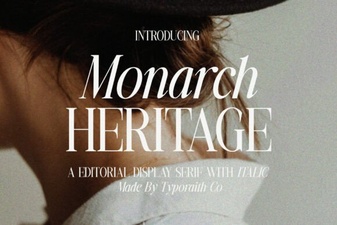 Monarch Heritage Font for Modern Design Projects
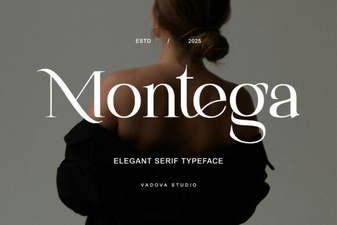 Montega Font: Clean Display Font for Modern Design
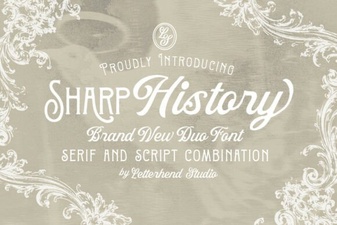 Sharp History: a Designer's Font Guide
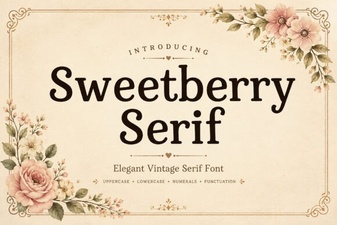 Sweetberry Serif for Modern Typography Projects
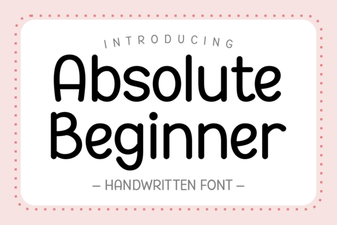 Fonts for Beginner Designers: Getting Started
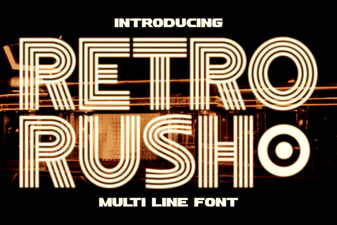 Retro Rush Font: Classic Design for Modern Projects