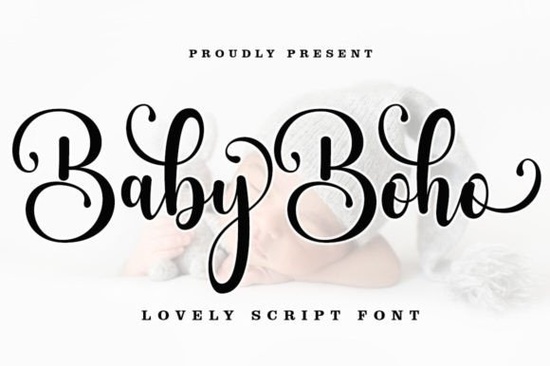
If you’ve been searching for a script font that feels both relaxed and elegant, Baby Boho Font might be exactly what your next project needs. It’s a modern calligraphy style with soft swashes and a natural flow perfect for designers who want something handwritten but polished. Whether you’re designing wedding invites, branding materials, or printable wall art, this font adapts without losing its charm.
What makes it especially handy is how accessible the extra characters are. Since it’s encoded with PUA Unicode, you don’t need fancy software to use those decorative tails or alternate letters. Mac users can open Font Book, Windows folks can fire up Character Map, and just copy-paste the glyphs you want into your design app. No plugins, no workarounds.
What kinds of projects does Baby Boho work best for?
This font shines in personal and commercial designs where warmth and personality matter. Think:
- Wedding stationery – invitations, menus, place cards
- Small business branding – boutique logos, packaging labels, social media headers
- Print-on-demand products – mugs, tote bags, nursery decor
- Book covers and quotes – especially for journals, poetry, or parenting themes
- Hand-lettered signage – café boards, event banners, chalkboard art
It pairs beautifully with clean sans-serifs or minimal serif fonts if you need contrast. For layered texture, try combining it with something like Angela Flower or Olivia Scatcer both have floral elements that complement Baby Boho’s organic rhythm.
How do I install and use the extra characters?
Once you download the font files (usually OTF or TTF), installing them is the same as any system font. After that, here’s how to access the swashes and alternates:
- On Mac: Open “Font Book,” find Baby Boho, and click “Repertoire” to see all glyphs.
- On Windows: Open “Character Map,” select the font, and scroll to find special characters.
- Copy the glyph you want and paste it directly into Illustrator, Photoshop, Canva, or even Word.
You’ll notice alternate endings, beginning strokes, and connector letters all designed to help your text flow more naturally. These aren’t gimmicks; they’re practical tools for making headlines or names look custom-drawn.
Is this font beginner-friendly?
Absolutely. Even if you’ve never used a script font with swashes before, Baby Boho doesn’t overwhelm. The regular weight is legible at small sizes, and the spacing between letters is generous enough that you won’t get tangled trying to kern manually. If you’re new to Creative Fabrica, you might also like checking out Brown Carolina Duo it’s another easy-to-use script with a vintage touch.
For crafters using Cricut or Silhouette machines, this font cuts cleanly. Just make sure to weld or flatten your design before cutting to avoid stray points from overlapping swashes.
How does it compare to other boho-style fonts?
It’s lighter and less ornate than something like Wintersnow, which leans into holiday themes and heavier flourishes. Baby Boho keeps things airy ideal for spring branding, baby showers, or minimalist logos. And unlike some script fonts that feel stiff or overly formal, this one moves like real handwriting.
If you’re curious how it stacks up visually, you can preview similar styles like Baby Boho Font alongside others on Creative Fabrica before downloading.
Any tips for getting the most out of this font?
- Don’t over-swash. One or two decorative letters per word is plenty. Too many can look cluttered.
- Use tracking, not kerning. Adjust letter spacing globally instead of tweaking each pair it preserves the font’s natural rhythm.
- Pair with photos or textures. This font looks gorgeous over faded linen backgrounds, watercolor washes, or botanical prints.
- Try lowercase for body text. The uppercase letters are bold and beautiful, but lowercase reads more smoothly in longer phrases.
And if you’re building a font library for seasonal projects, keep Baby Boho in your “go-to” folder. It’s versatile enough to reuse across different clients or product lines without feeling repetitive.
Next step: Download the font, open your favorite design tool, and test it with a short phrase maybe a name, quote, or product tagline. See how the swashes change the tone. Sometimes the simplest test tells you everything you need to know.
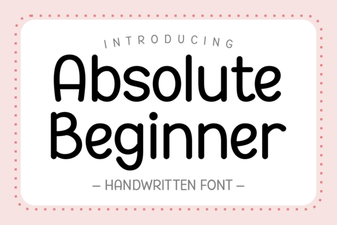 Fonts for Beginner Designers: Getting Started
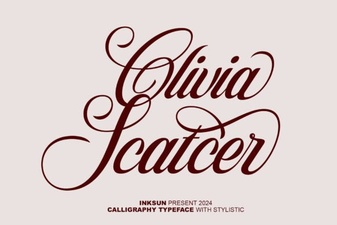 Olivia Script Font: Creative Design Tips & Uses
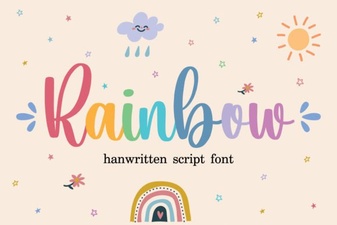 Rainbow Font Generator & Colorful Typography Ideas
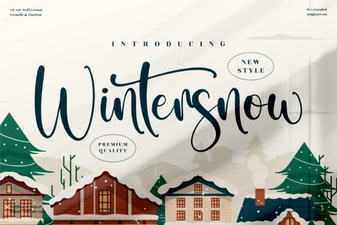 Wintersnow Font for Creative Projects & Clear Typography
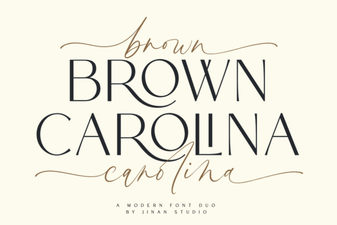 Brown Carolina Duo Font for Modern Design Projects
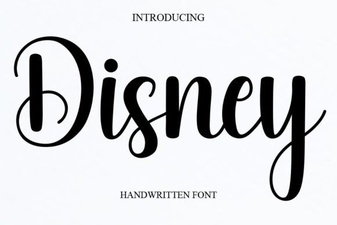 Font Magic: Using Disney Typography in Your Projects