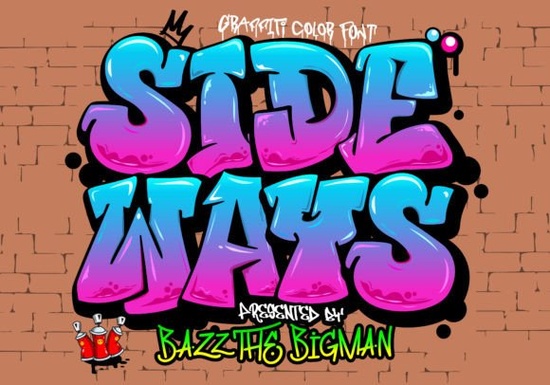
If you’re looking for a font that brings bold, street-ready energy to your designs, Sideways Font is worth checking out. It’s a graffiti-styled display color font with an urban edge the kind of typeface that looks right at home on t-shirts, sportswear, posters, or even logos for brands that want to stand out. What makes it different? It’s not just a regular font file it’s built as an OpenType-SVG color font, which means each letter can include multiple colors and textures baked right into the glyph.
You might’ve seen similar effects in our Groovy Crayon Font, which also leans into playful, hand-drawn vibes. But Sideways takes things in a grittier direction think spray paint tags, alleyway murals, and skate park culture. If your project needs attitude without needing Photoshop layering tricks, this one does the heavy lifting for you.
What can I actually use this font for?
Because of its layered, colorful nature, Sideways works best in projects where visual impact matters more than subtlety. Here are some real-world uses:
- T-shirt and hoodie designs especially for streetwear or youth-focused brands.
- Sport team graphics adds motion and rebellion to jersey numbers or slogans.
- Event posters or flyers music festivals, skate competitions, or pop-up markets.
- Logo mockups for brands that want to feel raw, authentic, or counter-culture.
- Social media banners grabs attention fast in crowded feeds.
It’s not meant for body text or formal documents and that’s okay. Its strength is in being loud, stylized, and instantly recognizable.
Will this work with my design software?
This is where things get specific. Sideways Font is an OpenType-SVG font. That means compatibility isn’t universal. You’ll need software that supports color fonts, like:
- Adobe Photoshop (CC 2017 and later)
- Adobe Illustrator (CC 2018 and later)
- Silhouette Studio (Business Edition or higher)
Important: The OTF or TTF versions included do not work with Cricut Design Space. If you rely on Cricut for cutting or print-and-cut projects, you’ll need to convert or rasterize the text first. For step-by-step help with color fonts like this one, check out the Ultimate Font Guide it walks through installation, troubleshooting, and creative workarounds.
How do I install and start using it?
Once you download the files from Creative Fabrica, here’s what to do:
- Unzip the folder you’ll usually see .OTF, .TTF, and sometimes .SVG font files.
- Install the OTF version (right-click > Install on Windows, or double-click > Install Font on Mac).
- Open your compatible software (Photoshop, Illustrator, etc.).
- Select the Type Tool, choose “Sideways” from your font list, and start typing.
- The color and texture should appear automatically no extra layers or blending modes needed.
If the colors don’t show up, double-check your software version. Some older programs will only display the outline, not the full color effect.
Can I use this for commercial projects?
Yes Creative Fabrica’s standard commercial license covers most small business and print-on-demand uses. That includes selling physical products like mugs, shirts, or stickers with the font applied. Just avoid redistributing the font file itself or using it in digital templates where customers could extract and reuse the font.
For full details, always review the license info included with your download. When in doubt, their support team is quick to clarify usage rights.
If you’re exploring other fonts with similar flair, you might also like browsing Sideways Font directly on Creative Fabrica they often bundle it with complementary urban or hand-style fonts during seasonal sales.
What if I’m new to color fonts?
No problem. Color fonts like Sideways are easier to use than they sound once your software supports them. Think of them like stickers: you type, and the full design pops in. No masking, no gradients, no manual coloring.
A few tips to get started:
- Use large sizes small text loses detail and color contrast.
- Pair it with simple sans-serif fonts for balance (think Helvetica or Arial for supporting text).
- Try dark backgrounds the graffiti style pops harder against black or deep tones.
- Export as PNG or PDF for sharing some platforms strip color font data in JPGs or SVGs.
And if you hit a snag? The community forums on Creative Fabrica are full of crafters and designers who’ve been there. Someone’s probably already posted a fix for whatever you’re seeing.
Next step: Download the font, test it in your main design program, and try mocking up a quick tee design or social graphic. See how it feels in action sometimes the best way to know if a font fits your style is to just start playing with it.
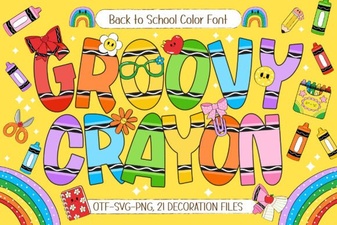 Creative Typography with Groovy Crayon Font Projects
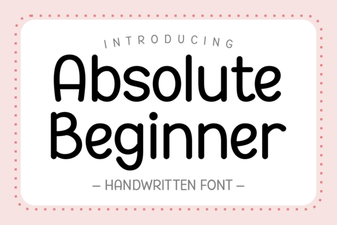 Fonts for Beginner Designers: Getting Started
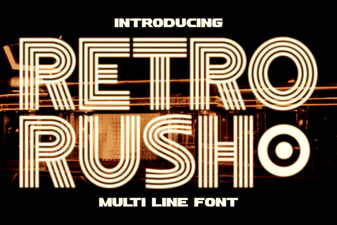 Retro Rush Font: Classic Design for Modern Projects
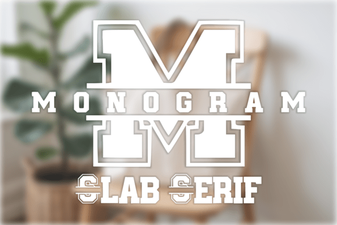 Monogram Fonts: Bold Designs for Creative Projects
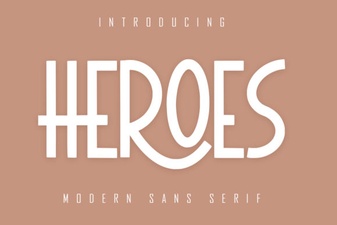 Free Hero Font Styles for Design Projects
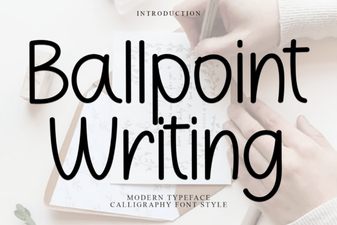 Modern Ballpoint Fonts for Digital Typography