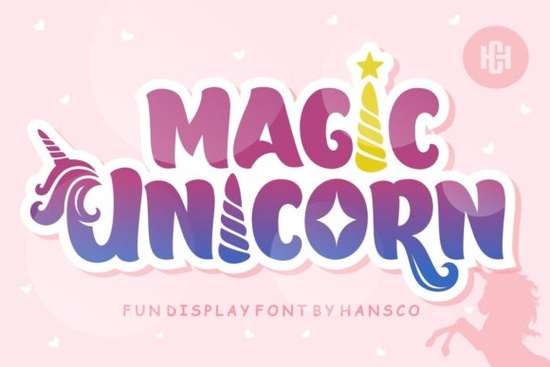
If you’re looking for a font that feels like a sprinkle of glitter and a dash of childhood wonder, the Magic Unicorn Font might be exactly what your next project needs. Whether you’re designing classroom posters, birthday invitations, or print-on-demand stickers for kids, this display font brings a playful, handcrafted charm that’s hard to resist. It’s not overly polished and that’s the point. The uneven strokes and bubbly letterforms give it authenticity, making it feel personal and joyful rather than corporate or stiff.
What makes this font especially useful is how well it pairs with creative themes. Think summer camps, storybooks, craft fairs, or even small business branding for kid-focused shops. You don’t need to be a professional designer to make it work its personality does most of the heavy lifting. And if you’ve ever struggled to find fonts that feel “fun but not childish,” this one strikes a nice balance.
Who should use Magic Unicorn Font?
This font shines in environments where imagination matters more than perfection. Here’s who gets the most out of it:
- Teachers and homeschoolers creating worksheets, flashcards, or bulletin boards.
- Crafters and Etsy sellers designing printable party kits, SVG cut files, or embroidery patterns.
- Small businesses targeting families think bakeries, toy stores, or children’s clothing brands.
- Print-on-demand creators building t-shirts, mugs, or tote bags with whimsical messaging.
It’s also surprisingly versatile. While it leans playful, you can tone it down by pairing it with clean sans-serifs or letting it stand alone in all-caps for bold signage. If you like this vibe but want something slightly different, you might also enjoy browsing other display fonts like Retro Rush for vintage flair or Juicy Lemon for a bouncy, citrusy twist.
How does it compare to similar fonts?
Not all playful fonts are created equal. Some feel too cartoony, others too rigid. Magic Unicorn Font sits comfortably in the middle expressive without being distracting. Unlike script fonts that can become hard to read at small sizes, this one maintains clarity even when scaled down for labels or tags.
For comparison, Fishtail Monogram offers a more decorative, intertwined style great for logos or monograms, while Magic Unicorn stays open and airy better suited for headlines, short phrases, or accent text. If you’re layering fonts in a design, try using Magic Unicorn for the main title and a minimalist sans-serif for supporting copy. The contrast helps keep things legible while preserving the fun factor.
What file formats come with it?
When you download the Magic Unicorn Font, you’ll typically get both OTF and TTF files meaning it works smoothly across design programs like Canva, Adobe Illustrator, Silhouette Studio, and Cricut Design Space. No need to convert or troubleshoot compatibility. Some bundles even include bonus glyphs or alternate characters, which let you swap in quirky letter variations for extra personality.
Pro tip: Always check the product page for specifics on licensing. Most Creative Fabrica display fonts come with a commercial license, so you’re covered if you’re selling products with this font on them whether it’s digital downloads or physical goods.
Any tips for using it effectively?
A few quick ideas to get the most out of your download:
- Use generous spacing. Let the letters breathe tight kerning can make playful fonts feel cluttered.
- Try it in color. Pastels, rainbows, or even metallic gradients enhance its magical feel.
- Layer with illustrations. Pair it with doodles, stars, clouds, or cartoon animals for full whimsy mode.
- Don’t overuse it. One headline or focal phrase per design is usually enough. More than that can feel overwhelming.
If you’re still exploring options, take a look at how Retro Rush brings nostalgic energy or how Juicy Lemon adds zesty bounce sometimes flipping through a few styles helps you land on the perfect fit.
Where can I see it in action?
Check out user galleries or mockup previews on the product page seeing the font applied to real-world items (like tote bags, greeting cards, or wall decals) can spark ideas you hadn’t considered. Many users pair it with glitter effects, chalkboard backgrounds, or watercolor textures to amplify its handmade charm.
And if you’re curious about licensing terms or how to install the font on your system, Creative Fabrica’s help section walks you through it step by step no tech skills required.
Next step: Download the Magic Unicorn Font and test it out on a quick project maybe a birthday card or classroom door sign. See how it feels in your workflow. Sometimes the best way to know if a font “clicks” is to play with it for five minutes. You might be surprised how much joy a single typeface can bring to your designs.
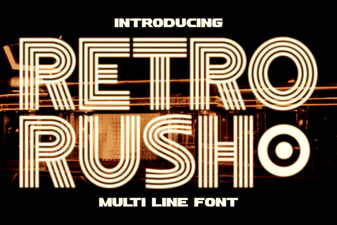 Retro Rush Font: Classic Design for Modern Projects
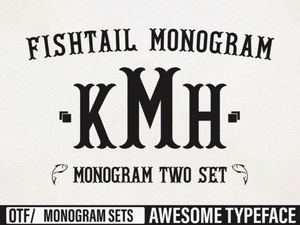 Fishtail Monogram Font Ideas & Design Inspiration
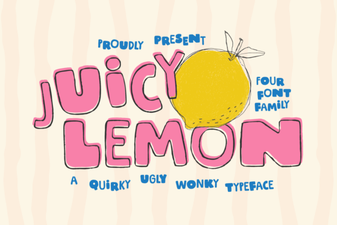 Introducing the Juicy Lemon Font Family
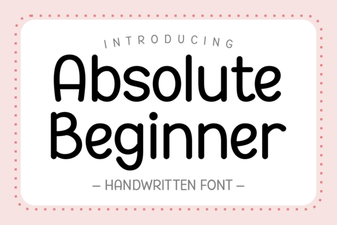 Fonts for Beginner Designers: Getting Started
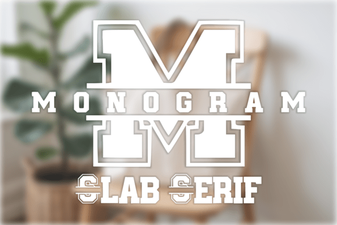 Monogram Fonts: Bold Designs for Creative Projects
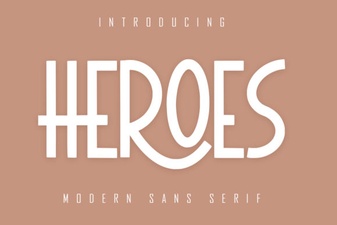 Free Hero Font Styles for Design Projects